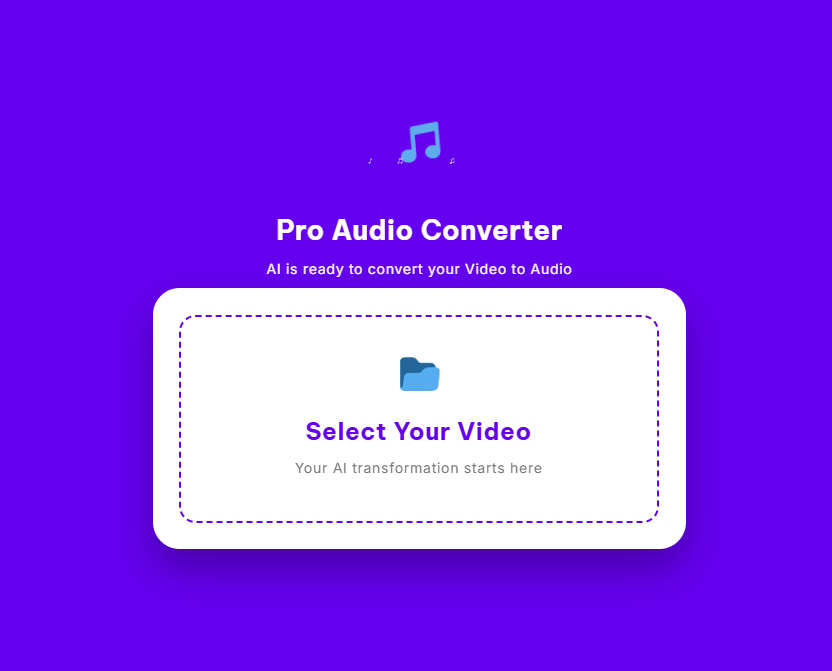
Pro Audio Converter
AI is ready to convert your Video to Audio
Select Your Video
Your AI transformation starts here
AI is Extracting Audio…
Analyzing frequencies and bitrates
Click on waves to jump to a specific part
Audio Converter – Convert Video to WAV Audio Instantly in Your Browser
In today’s digital workflows, audio content plays a central role across marketing, education, podcasting, and media production. Video files often contain valuable audio—interviews, voiceovers, music, or presentations—but storing or editing full video files is not always practical. This is where a reliable audio converter becomes essential.
Our browser-based audio converter is designed to convert video into high-quality WAV audio quickly, securely, and without unnecessary complexity. Instead of uploading files to remote servers or accepting compressed output, this tool focuses on lossless audio conversion, privacy, and speed—all directly inside your browser.
This page explains how the audio converter works, why WAV output matters, and how you can use this tool effectively for professional and everyday needs.
What Is an Audio Converter?
An audio converter is a tool that transforms media files from one format to another or extracts audio from video files into a standalone audio format. In this case, the audio converter focuses on converting video files into WAV audio, a format widely used for professional audio editing and archiving.
Unlike many traditional online converters, this audio converter operates entirely in your browser. That means:
- No file uploads to external servers
- No waiting for server queues
- No compromise on audio quality
The audio converter extracts the audio stream from the video file and converts it into an uncompressed WAV file while preserving the original sound data.
Why Use a Browser Based Audio Converter?
A browser based audio converter offers several advantages over traditional server-based tools.
Local Processing
This audio converter processes files locally on your device using modern web technologies. Your video file never leaves your system, which significantly improves privacy and reduces processing time.
Faster Conversion
Because there is no upload or download cycle involved, the audio converter begins working immediately. Even large video files can be converted into WAV audio within seconds, depending on system performance.
Better Privacy
Many online audio converters store or temporarily cache uploaded files. This audio converter eliminates that risk by keeping all processing inside your browser.
Convert Video to WAV Audio with Precision
WAV is a lossless audio format, meaning it preserves the full quality of the original sound. This makes it the preferred format for audio professionals, podcasters, editors, and sound designers.
This audio converter:
- Extracts raw audio data from video files
- Preserves full frequency range
- Avoids bitrate reduction or compression
- Outputs clean, studio-grade WAV audio
If your workflow requires editing, mixing, or archiving audio, WAV output ensures maximum flexibility and quality.
How the Audio Converter Works
This audio converter is built using modern browser APIs that enable fast and accurate audio processing.
1. Audio Stream Detection
When you select a video file, the audio converter identifies and isolates the embedded audio stream while ignoring video frames. This ensures efficient processing and faster results.
2. Offline Audio Rendering
The audio converter uses offline audio rendering to process the entire audio track as quickly as possible. This method allows the browser to convert long video files in a fraction of real-time playback.
3. WAV File Generation
Once processed, the audio converter generates a WAV file directly in your browser’s memory. You can then download the file instantly without any external dependency.
Privacy-First Audio Conversion
Privacy is a core design principle of this audio converter.
- No uploads
- No servers
- No data retention
- No tracking of your files
Because everything runs locally, this audio converter is suitable for sensitive content, confidential interviews, internal meetings, and copyrighted material.
Interactive Audio Visualization
Before downloading your WAV file, the audio converter provides a real-time waveform visualization. This feature allows you to visually confirm that the audio has been extracted correctly.
Waveform visualization helps users:
- Identify audio intensity and silence
- Confirm audio presence before download
- Gain confidence in output quality
This adds an extra layer of transparency and usability not commonly found in basic online audio converters.
Who Should Use This Audio Converter?
This audio converter is designed for a wide range of users:
Content Creators
Convert video interviews, tutorials, or social media clips into audio files for reuse across platforms.
Podcasters
Extract clean WAV audio from recorded video interviews for professional podcast editing.
Marketers
Convert webinar recordings and promotional videos into audio assets for ads, reels, and repurposed content.
Educators
Save lecture audio separately from video to reduce storage and enable offline listening.
IT and Media Professionals
Optimize storage and workflows by keeping only the audio when video is not required.
Supported Use Cases
This audio converter supports common video formats used across browsers and devices, including MP4, WebM, and other standard video containers. As long as the video contains an audio track, it can be converted into WAV format.
Because the audio converter runs in the browser, no software installation or account creation is required.
Why Choose This Audio Converter Over Others?
| Feature | This Audio Converter | Typical Online Converters |
|---|---|---|
| Browser Based Processing | Yes | No |
| WAV Output Support | Yes | Limited |
| Upload Required | Yes | Yes |
| Audio Compression | None | Common |
| Privacy Focus | High | Low |
Most free online audio converters prioritize convenience over quality. This tool prioritizes control, privacy, and professional output.
Storage and Workflow Benefits
Video files are significantly larger than audio files. By using an audio converter to extract WAV audio, you can reduce storage requirements and simplify file management.
In many workflows, audio-only files are easier to:
- Edit
- Archive
- Share
- Process in DAWs and audio tools
This makes audio conversion a practical step in media optimization.
How to Use the Audio Converter
- Scroll to the top of the page
- Drop or select your video file
- Allow the audio converter to process the file
- Review the waveform visualization
- Download your WAV audio file
No registration. No configuration. No waiting.