Why 73% of Companies Are Wasting Millions on Data Teams (And How to Fix It in 90 Days)
TL;DR: Most companies hire data analysts but wonder why they’re still making gut-feel decisions. The truth? You need a complete data ecosystem—not just one role. This guide reveals the exact team structure, technologies, and processes that turn data chaos into competitive advantage. Plus: a free template to audit your current setup in under 20 minutes.
The Opening Hook
Your CFO just asked why Q3 profits dropped 18%. Your data analyst promises an answer “by next week.” Meanwhile, your competitor already knew—three weeks ago—and adjusted their strategy accordingly.
Here’s the uncomfortable truth: 73% of companies have data teams that function more like expensive historians than strategic weapons. They tell you what happened, but never why it happened or what’s coming next.
I’ve spent the last decade building data infrastructure for companies ranging from scrappy startups to Fortune 500 giants. And I’ve watched the same pattern repeat: brilliant people, powerful tools, zero impact. Because they’re missing the other six pieces of the puzzle.

The $2 Million Question Nobody’s Asking
Let me tell you about Sarah’s company. They hired a talented data analyst for $95K. Smart move, right?
Six months later, Sarah’s analyst was spending 4 hours daily just extracting data from five different systems. Manually. Every. Single. Day.
The math is brutal: 4 hours × 260 work days = 1,040 hours of pure extraction work annually. At $95K salary, that’s roughly $45,000 spent on copying and pasting data instead of generating insights.
But here’s where it gets worse. While her analyst drowned in manual work, the company made three major strategic decisions based on outdated spreadsheets. Two failed spectacularly. Estimated cost? $2.1 million in lost revenue and wasted marketing spend.
The problem wasn’t the analyst. It was the ecosystem.
Why Most Data Teams Fail (It’s Not What You Think)
Companies make one critical error: they think data is about hiring smart people with technical skills.
Wrong.
Data transformation is about building an interconnected system where each role amplifies the others. It’s like assembling an orchestra—one brilliant violinist doesn’t create a symphony.
Part 1: The Foundation—Understanding the Data Ecosystem
The Data Analyst: Your First (But Not Last) Hire
Think of a Data Analyst as a detective with a deadline. Their superpower? Translating chaos into clarity.
Here’s what they actually do:
- Answer urgent business questions using SQL queries
- Create visual reports that executives can understand in 30 seconds
- Identify patterns that explain performance changes
- Bridge the gap between technical teams and decision-makers
Real-world impact: At TechCorp (name changed), their first data analyst discovered that 40% of customer churn happened within the first 14 days. This single insight led to a revamped onboarding process that reduced churn by 28% and saved $890K annually.
But here’s the limitation: Analysts are reactive. They answer questions after they’re asked. They can’t predict the future or automate repetitive work—yet.

When One Becomes Too Few: The Scaling Threshold
You’ll know you need to expand beyond a single analyst when you see these warning signs:
- The 40-Hour Wall: Your analyst works weekends just to keep up with requests
- The Delay Domino: Business decisions wait days or weeks for data
- The Manual Treadmill: The same reports are recreated from scratch weekly
- The Big Data Breakdown: Data volume makes manual extraction impossible
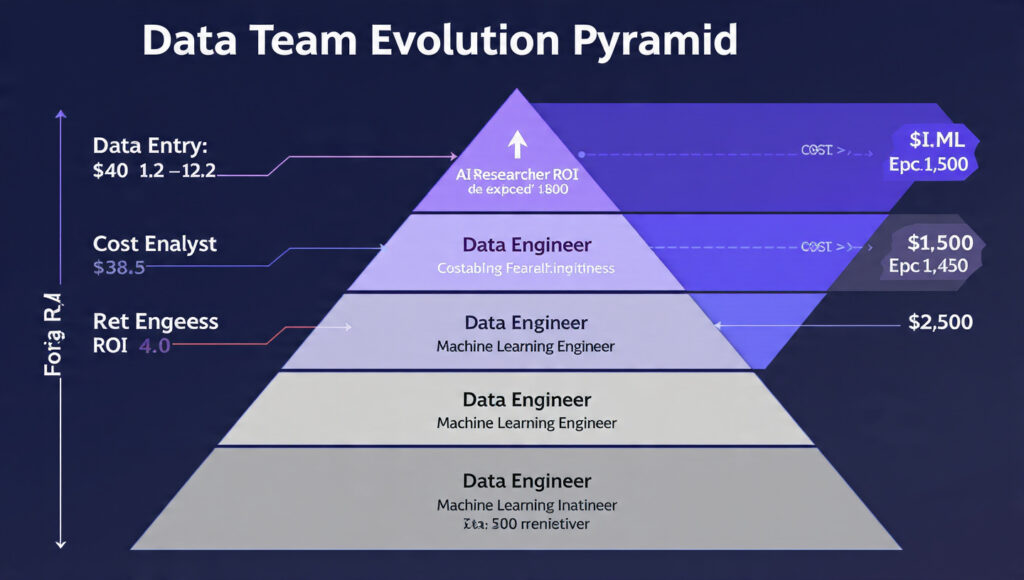
This is where most companies panic-hire another analyst. Big mistake. You don’t need more of the same—you need the next layer of the pyramid.
Part 2: Building the Engine Room—Data Architecture & Engineering
The Data Architect: Your Master Blueprint Designer
Imagine building a skyscraper without blueprints. Sounds insane, right? Yet that’s exactly what companies do with data.
A Data Architect doesn’t touch code daily—they think strategically about:
- How data flows through your organization
- Where bottlenecks will emerge as you scale
- How to organize data so it’s actually findable
- Security protocols and compliance requirements
The Medallion Architecture Framework (your first template to copy):
Bronze Layer (Raw Landing Zone)
- Data arrives exactly as-is from source systems
- Nothing is changed or cleaned
- Serves as permanent historical record
- Think: “The Inbox”
Silver Layer (Cleaned & Transformed)
- Duplicates removed, errors fixed
- Data types standardized
- Business rules applied
- Think: “The Organized Filing Cabinet”
Gold Layer (Business-Ready Assets)
- Organized into logical objects (Customers, Orders, Products)
- Optimized for specific use cases
- Ready for reporting and AI
- Think: “The Executive Summary”

The Data Engineer: From Blueprint to Reality
If the architect designs the building, the engineer actually constructs it—with code.
What they build:
- Automated pipelines that move data 24/7 without human intervention
- Data quality checks that catch errors before they corrupt reports
- Integration points that connect your 15 different software systems
- Scalable infrastructure that handles 10x growth without breaking
Case Study: E-commerce company with 12 disconnected systems. Data engineers built pipelines that automatically consolidated data every hour. Result? Decision-making speed increased 14x, from two weeks to under 24 hours for complex analyses.
Quick Wins: Start Here Before Hiring Engineers
Not ready for a full-time engineer? Try these steps first:
- Audit your data sources (20 minutes): List every system that stores customer or business data
- Map the pain points (1 hour): Where do people waste time manually moving data?
- Calculate the cost (30 minutes): Employee hours × hourly rate × 260 days
- Identify the highest-ROI pipeline (1 hour): Which automation would save the most time?
Part 3: From Reactive to Proactive—Automation & Intelligence
The BI Developer: Making Reports Obsolete
Here’s a radical idea: What if nobody ever asked for a report again?
That’s the Business Intelligence Developer’s mission. They build interactive dashboards that answer questions before they’re asked.
The difference:
- Old way: Executive emails analyst → analyst writes queries → creates charts → sends PDF → executive has follow-up question → cycle repeats
- New way: Executive opens dashboard → filters by region/time period → instantly sees answer → explores related metrics → makes decision in 5 minutes
ROI Calculator:
- Average report request time: 3 hours
- Reports per week: 20
- Weeks per year: 50
- Total annual hours: 3,000
- At $75/hour fully loaded cost: $225,000 spent on repetitive reporting
One BI Developer (salary ~$110K) building automated dashboards saves your company over $100K annually while freeing your analysts for strategic work.
The Data Scientist: Predicting Tomorrow, Today
Data Analysts tell you what happened. Data Scientists tell you what will happen.
The distinction matters enormously:
Descriptive Analysis (Analyst Territory)
- “Sales dropped 15% in the Southeast region last quarter”
- “Customer churn increased among 25-34 age group”
- “Website traffic peaked on Tuesdays”
Predictive Analysis (Data Scientist Territory)
- “Based on current patterns, we’ll lose 127 high-value customers next month”
- “This customer has an 83% probability of churning within 60 days”
- “Inventory demand will spike 34% during weeks 3-4 of December”
Real-world transformation: Subscription company used data science to predict churn. They created an intervention program targeting high-risk customers 30 days before predicted churn date. Result? 31% reduction in churn rate, translating to $1.4M in retained annual revenue.
The secret sauce? Data Scientists run controlled experiments and build mathematical models that learn from historical patterns to make accurate future predictions.
The ML Engineer: From Prototype to Production
Data Scientists are like brilliant chefs who create amazing recipes in a home kitchen. ML Engineers are the ones who figure out how to serve that same dish to 10,000 people simultaneously.
They take experimental models and make them:
- Scalable: Handle millions of predictions per day
- Reliable: Work 24/7 without breaking
- Integrated: Connect to your actual business systems
- Monitored: Alert humans when something goes wrong
Critical question to ask yourself: Do you have data science models sitting unused because nobody knows how to deploy them? That’s a $200K investment gathering dust.
Part 4: The Technology Stack—Tools That Actually Matter
SQL: The Universal Language (Non-Negotiable)
If English is the language of business, SQL is the language of data.
Every single role we’ve discussed needs SQL. It’s not optional. Here’s why it’s so powerful:
What SQL does:
- Queries databases to extract exactly the data you need
- Joins data from multiple tables (think: combining customer info with purchase history)
- Aggregates millions of rows into meaningful summaries
- Filters out noise to find the signal
The SQL skill ladder:
- Beginner (Week 1-2): SELECT, WHERE, basic joins
- Intermediate (Month 1-2): Complex joins, subqueries, window functions
- Advanced (Month 3-6): Query optimization, stored procedures, performance tuning
Learn SQL first. Everything else builds on this foundation.

Python: From Logic to Execution
Python is the Swiss Army knife of data work. It’s the #1 language for AI and machine learning for good reasons:
Why Python dominates:
- Readable syntax that resembles plain English
- Massive library ecosystem (pandas for data, scikit-learn for ML, etc.)
- Strong community support (every question already answered on Stack Overflow)
- Versatile (data pipelines, analysis, web apps, automation)
Data Engineer uses: Building automated pipelines, connecting APIs, transforming data
Data Scientist uses: Statistical analysis, building ML models, running experiments
Data Analyst uses: Advanced calculations, custom reports, data cleaning
Reality check: You don’t need to become a Python expert overnight. Start with the basics and grow as needed. Many successful data analysts know just enough Python to complement their SQL skills.
PowerBI vs Tableau: The Visualization Showdown
Both tools turn data into beautiful, interactive visuals. But they have different sweet spots:
PowerBI wins when:
- You’re deeply embedded in Microsoft ecosystem (Excel, Azure, Office 365)
- You need strong data modeling capabilities
- Budget is a constraint (better pricing structure)
- Your team has intermediate technical skills
Tableau wins when:
- You need highly customized, complex visualizations
- You’re working with absolutely massive datasets (10M+ rows)
- Design flexibility is paramount
- You have dedicated BI developers
Pro tip: The tool matters less than you think. Focus on the story your data tells, not the software you use to tell it. I’ve seen brilliant insights delivered via PowerBI and terrible dashboards built in Tableau.
Part 5: The Strategic Processes—How Data Actually Flows
ETL: The Engine Room Nobody Sees
ETL (Extract, Transform, Load) is where the magic happens—and where most failures occur.
The Three-Step Process Explained:
1. Extract (The Gathering Phase)
- Identify all source systems (CRM, website, POS, etc.)
- Pull data without modifying it
- Maintain exact copy of original state
- Schedule regular extraction (hourly, daily, real-time)
2. Transform (The Refinement Phase)
- Clean dirty data (fix typos, handle missing values)
- Standardize formats (dates, currencies, addresses)
- Apply business rules (calculate metrics, categorize data)
- Integrate data from multiple sources into unified view
3. Load (The Delivery Phase)
- Insert transformed data into target system (Data Warehouse)
- Update existing records or append new ones
- Verify data integrity and completeness
- Log everything for troubleshooting
What goes wrong and how to fix it:
❌ Common failure: Running transforms during peak business hours, causing system slowdowns
✅ Fix: Schedule intensive transforms during off-peak hours (nights/weekends)
❌ Common failure: No data quality checks, garbage in = garbage out
✅ Fix: Build automated validation rules (check for nulls, outliers, format consistency)
❌ Common failure: Pipeline breaks and nobody notices for days
✅ Fix: Implement monitoring and alerts for every critical pipeline
Data Modeling: Making Chaos Comprehensible
Raw data looks like this: CUST_ID_2847 | TX_AMT_47.93 | DT_20241015 | PROD_SKU_87392
Data modeling transforms it into this: Customer: Sarah Johnson | Purchase Amount: $47.93 | Date: October 15, 2024 | Product: Wireless Headphones
Why this matters: Your brain processes the second version 10x faster. So does everyone else’s.
The dimensional modeling approach:
Dimensions (The Context)
Categories used to slice and filter data:
- Customer (name, age, location, segment)
- Product (name, category, supplier)
- Time (date, month, quarter, year)
- Location (city, region, country)
Measures (The Numbers)
Values that make sense to add up or average:
- Sales Amount ($)
- Quantity Sold (#)
- Profit Margin (%)
- Average Order Value ($)
Real-world application: Instead of asking “Show me TX_AMT by REGION_CODE,” you ask “Show me Sales by Region”—and every human in the room immediately understands.
The Data Warehouse: Your Single Source of Truth
Imagine asking five people for yesterday’s sales numbers and getting five different answers. That’s life without a Data Warehouse.
What it solves:
- Consistency: Everyone uses the same definitions and calculations
- Speed: Pre-organized data loads 100x faster than ad-hoc queries
- History: Maintains snapshots of data over time (unlike operational systems that overwrite)
- Integration: Combines data from all your disparate systems
The restaurant kitchen analogy revisited:
Your operational systems (CRM, website, accounting software) are like farms and suppliers—they produce raw ingredients daily. Your Data Warehouse is the professional kitchen where those ingredients are prepped, organized, and ready for instant cooking. When a business leader orders a report (the meal), your data team doesn’t have to start by picking vegetables from a field—everything’s already prepped and ready.
Part 6: The AI Frontier—Beyond Chatbots
Why Most AI Projects Fail Spectacularly
Uncomfortable stat: 87% of data science projects never make it to production.
The problem? Companies skip straight to sexy AI without building the foundation. It’s like trying to put a rocket engine on a bicycle.
The prerequisites nobody tells you:
- Clean, organized data (you need that Silver/Gold layer)
- Reliable pipelines (data flowing automatically)
- Clear business problem (not “let’s do AI because AI”)
- People who can deploy and maintain models (ML Engineers)
Skip these, and your $300K AI initiative becomes a fascinating but useless prototype.
Large Language Models: The Intelligence Layer
LLMs (like the technology behind ChatGPT) are pre-trained on massive amounts of text. But here’s what makes them business-ready:
Fine-tuning with your private data:
- Train the model on your company’s specific terminology
- Teach it your industry’s nuances
- Adapt it to your unique business processes
- Make it understand your customers’ language
Example: Generic LLM says generic things about customer service. Fine-tuned LLM trained on your support tickets can predict which issues need escalation, suggest proven solutions, and even draft personalized responses—in your company’s voice.
RAG: Connecting AI to Your Reality
RAG (Retrieval Augmented Generation) is the breakthrough that makes AI actually useful for businesses.
The problem it solves: Base LLMs don’t know anything about your company. They can’t answer “What was our Q3 revenue in the Northeast region?” or “Which product had the highest return rate last month?”
How RAG works:
- User asks a question
- System searches your private documents/database
- Retrieves relevant information
- Feeds that context to the LLM
- LLM generates an answer based on your data
Real-world transformation: Legal firm with 50,000 case files. Lawyers spent 6 hours per case researching precedents. RAG system connected to their case database now provides relevant precedents in under 2 minutes. Saved 200+ lawyer hours weekly, worth approximately $60K in billable time.
AI Agents: The Next Evolution
Traditional chatbots can answer questions. AI Agents can take action.
What makes an agent different:
- Queries databases autonomously
- Updates records and tickets
- Sends notifications and emails
- Triggers workflows
- Makes decisions within defined parameters
Practical application: Customer asks “Where’s my order?”
- Chatbot: Provides generic answer about checking email
- AI Agent: Looks up order in database, checks shipping status, provides tracking number, and proactively sends tracking link via text message
The agent doesn’t just inform—it completes the entire task.
Critical consideration: Start with narrow, well-defined use cases. An agent that does one thing reliably beats an ambitious agent that does ten things poorly.
Part 7: Your 90-Day Data Transformation Blueprint
Phase 1: Assessment (Days 1-14)
Week 1: The Data Audit
Download your free Data Ecosystem Audit Template and complete these sections:
✓ Systems Inventory: List every software that stores data
✓ Current Roles: Who’s doing what with data today?
✓ Pain Point Map: Where do people waste time on manual data work?
✓ Decision Delay: How long from question asked to answer delivered?
Week 2: The Cost Calculation
Calculate your “data waste” number:
- Hours spent on manual data extraction weekly: _____
- Hours spent creating repetitive reports: _____
- Decision delays due to missing/incorrect data: _____
- Total annual cost: _____ × hourly rate × 260
This number is your burning platform. When executives see “$340K wasted annually on manual data work,” budget approvals become much easier.
Phase 2: Quick Wins (Days 15-45)
Don’t wait to hire an entire team. Start with high-impact, low-complexity improvements:
Quick Win #1: The Essential Dashboard (1-2 weeks)
- Identify your 3 most-requested reports
- Build a single PowerBI/Tableau dashboard that replaces them
- Train stakeholders to self-serve
- Estimated time saved: 10-15 hours/week
Quick Win #2: The Critical Pipeline (2-3 weeks)
- Identify your biggest manual data integration headache
- Build (or outsource) one automated pipeline
- Document and monitor it
- Estimated time saved: 8-12 hours/week
Quick Win #3: The Data Dictionary (1 week)
- Create a shared document defining key metrics
- Include calculation formulas
- Add examples
- Prevents “five different versions of revenue” problem
Momentum builder: These quick wins demonstrate ROI before you’ve hired anyone. Use the time/cost savings to justify Phase 3 investments.
Phase 3: Strategic Hiring (Days 46-90)
The right hiring sequence matters enormously:
If you have <$150K budget:
- Hire: Senior Data Analyst (someone who can also do basic BI work)
- Supplement: Contract Data Engineer for specific pipeline projects
- Timeline: Month 1-2
If you have $150K-$350K budget:
- Hire: Data Analyst (Month 1)
- Hire: Data Engineer (Month 2)
- Hire: BI Developer OR Data Scientist (Month 3, based on greater need)
If you have $350K+ budget:
- Hire: Data Architect (Month 1, part-time consultant acceptable)
- Hire: Data Engineer (Month 1)
- Hire: Data Analyst (Month 2)
- Hire: BI Developer (Month 2-3)
- Hire: Data Scientist (Month 3)
Pro tip: Hire for adaptability over narrow specialization. A Data Analyst who can learn BI tools is more valuable than a hyper-specialized expert who can’t collaborate.
Part 8: Avoiding the $500K Mistakes
Mistake #1: Hiring Data Scientists Before You Have Clean Data
The scenario: Company hires brilliant PhD data scientist for $180K. They spend 6 months cleaning data instead of building models. Frustrated, they leave. Company is back to square one minus $180K.
The fix: Build your data foundation (quality pipelines, organized warehouse) first. Then hire scientists.
Mistake #2: Buying Expensive Tools Nobody Uses
The scenario: Company buys enterprise Tableau licenses for 50 users at $70/user/month ($42K annually). After 6 months, only 4 people use it actively.
The fix: Start with free trials. Prove adoption with small groups. Scale only after demonstrated usage.
Mistake #3: Treating Data Roles as Interchangeable
The scenario: “Our Data Engineer left, let’s have our Data Analyst fill in temporarily.” Analyst burns out, pipelines break, reports fail, chaos ensues.
The fix: Each role has distinct skills. Cross-training is great; forced role swapping during crises is disaster.
Mistake #4: No Data Governance = Wild West
The scenario: Everyone creates their own reports with their own definitions. “Revenue” means five different things. Trust in data evaporates.
The fix: Establish data governance from day one:
- Single source of truth for metrics
- Clear ownership of data domains
- Documented definitions and calculations
- Regular audits
Think of it as traffic laws for data—they feel like bureaucracy until you experience the chaos without them.
Real-World Success Story: From Chaos to Competitive Advantage
Let me tell you about Marcus and his mid-sized manufacturing company (400 employees, $75M revenue).
The starting point (18 months ago):
- One overworked data analyst
- Data scattered across 11 different systems
- Weekly reports took 3-4 days to compile
- Decisions based on “gut feel” more than data
- Inventory management constantly had shortages or overstock
The transformation:
- Month 1-2: Hired Data Engineer, mapped data sources
- Month 3-4: Built first automated pipelines (inventory and sales data)
- Month 5-6: Hired BI Developer, launched first dashboards
- Month 7-9: Hired Data Scientist to build demand forecasting model
- Month 10-12: Hired ML Engineer to productionize the model
The results after 18 months:
- Inventory carrying costs reduced by 34% (saved $880K)
- Stockouts decreased by 62% (prevented $1.2M in lost sales)
- Decision-making speed improved by 12x (days to hours)
- Revenue increased 23% (better product availability + data-driven sales strategies)
- Total team cost: ~$600K annually
- Net ROI: 347% in first full year
Marcus told me: “We didn’t just build a data team. We built a competitive advantage. Our competitors are still arguing in meetings while we’re already executing.”
Your Action Plan: What to Do Monday Morning
Don’t close this tab and do nothing. Here’s your immediate next steps:
This Week:
- Share this post with your leadership team (use the social buttons below)
- Complete the 20-minute audit
- Calculate your data waste number—put a dollar value on the problem
- Identify your biggest pain point: Is it manual work? Slow decisions? No predictions?
Next Week:
- Schedule a 1-hour meeting with key stakeholders to discuss findings
- Choose ONE quick win from Phase 2 to implement
- Research tools: Free trials for PowerBI/Tableau, browse SQL courses
- Create a 90-day roadmap based on your budget and priorities
Next Month:
- Execute your chosen quick win and measure time/cost saved
- Present results to leadership with specific ROI numbers
- Begin hiring process or exploring consultant/contractor options
- Join data communities: Follow relevant thought leaders, join Slack groups
Remember: Data transformation isn’t about perfection—it’s about progress. The companies winning with data didn’t start with perfect systems. They started with momentum.
A Final Thought: The Restaurant Kitchen Principle
Remember our restaurant kitchen analogy? Here’s why it’s so powerful:
Bad restaurants take orders, then send someone to the grocery store, then prep ingredients, then cook. Every meal takes forever, quality is inconsistent, customers leave frustrated.
Great restaurants have all ingredients prepped, organized, and ready. When an order comes in, execution is fast and flawless. Multiple orders simultaneously? No problem—the system handles it.
Your data infrastructure is your kitchen. The question isn’t whether to build it—it’s how much longer you can afford to send analysts grocery shopping while your competitors serve five-star insights instantly.
What’s your next move? Answer in Commit Section